Role Navigation
Swipe roles, tap to open submenuLibrarian • Dashboard
Standalone submenu content with role-aligned workflow and execution checkpoints.
Overview
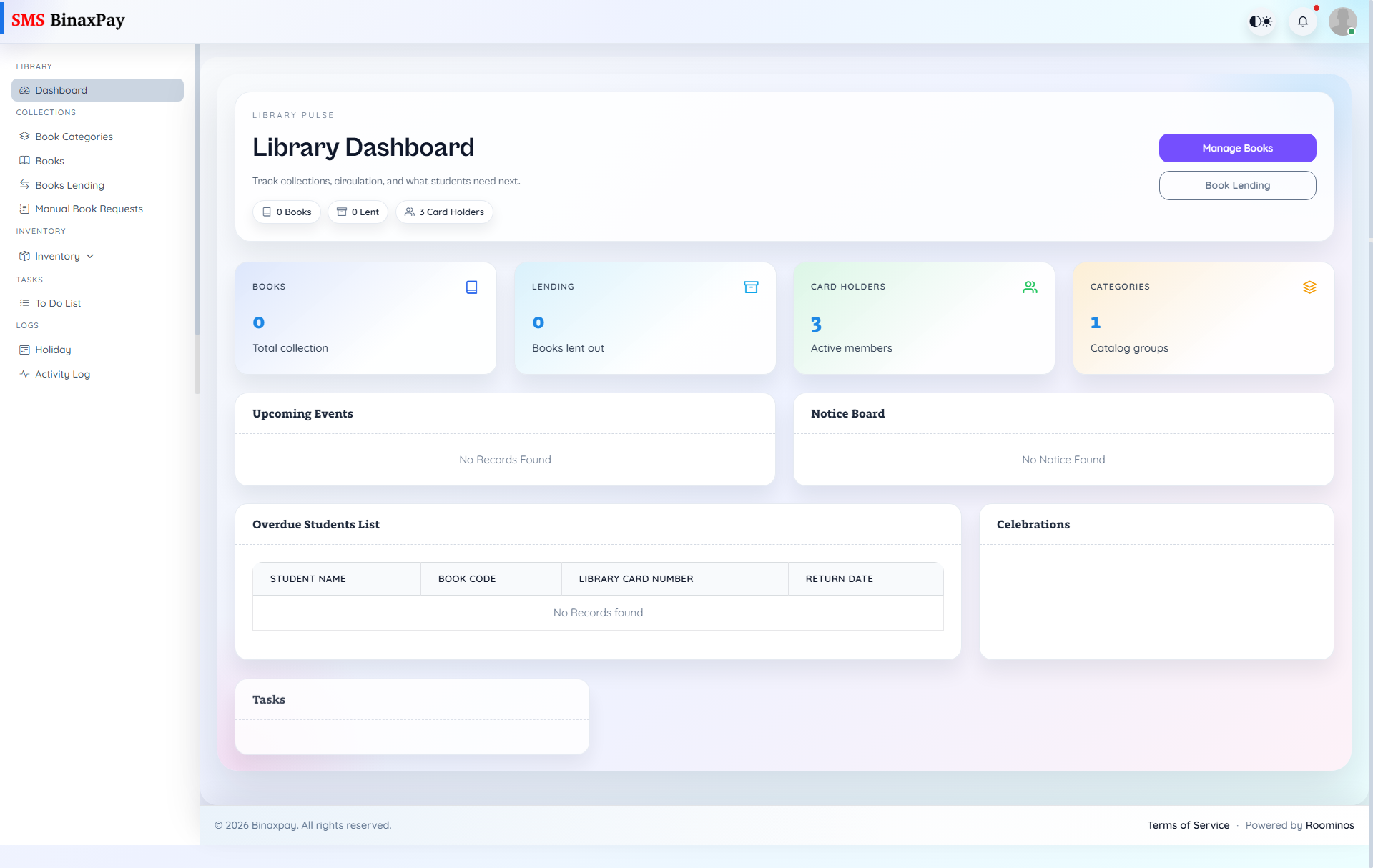
Dashboard is the librarian’s control board and shows key operational indicators including books count, lending count, card-holder count, category count, overdue list, and task/event/notice widgets. It also provides direct actions to Manage Books and Book Lending, so this page should be used as the start-of-day prioritization panel before moving into execution modules.
Workflow Execution Steps
- Open dashboard and review overdue list and lending volume.
- Prioritize request and return actions by urgency.
- Jump to Books or Books Lending for execution.
- Revisit dashboard to confirm backlog reduction.
Reference Screenshots