Role Navigation
Swipe roles, tap to open submenuStudent • Assignment
Standalone submenu content with role-aligned workflow and execution checkpoints.
Overview
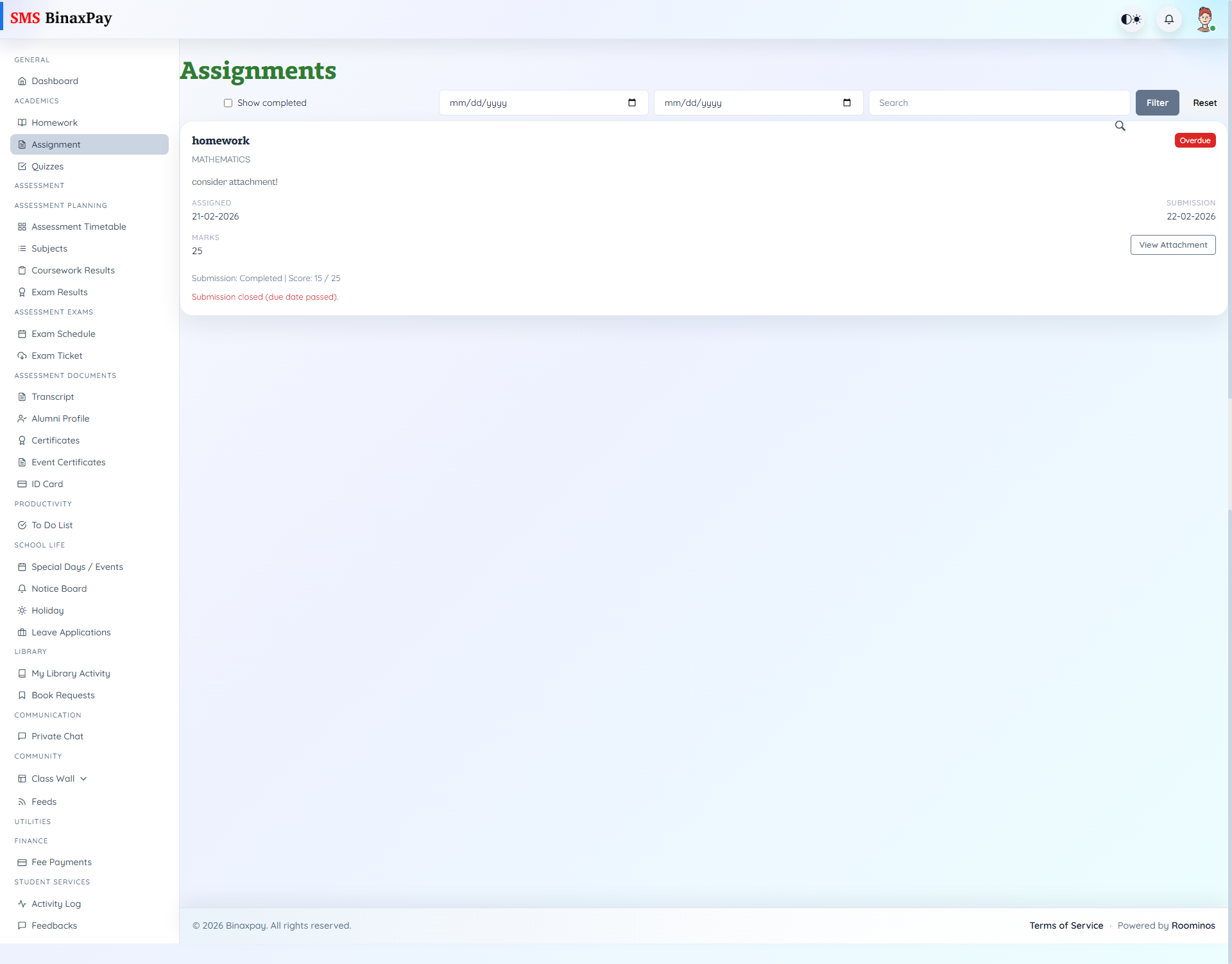
Assignment (student/assignment/index.blade.php) handles deliverable uploads and grading follow-up. Students filter by search/date/showCompleted, inspect assignment cards (title, subject, assigned/submission dates, marks cap), and submit files while the assignment is still active.
Status badges show Ongoing/Completed/Overdue, with score and teacher comments shown when review is completed.
Workflow Execution Steps
- Open assignments and filter by date/search/completion state.
- Open pending assignment and review marks context and due date.
- Submit or re-submit files while allowed.
- Confirm status moves correctly from open/overdue conditions.
Reference Screenshots